

C-Pen Reading Pens
Scan a line of printed text and hear it read aloud straight away. The C-Pen Reader 3 and Reader 2 help people with dyslexia and other reading differences, English language learners and students read on their own. Buy online from NovitaTech in Adelaide, with delivery Australia-wide.

What is a C-Pen reading pen?
A C-Pen is a pocket-sized reading pen. You glide the tip along a line of printed text and the pen reads it out loud in a natural voice, highlighting the words on its screen as it goes. You can scan a single word to hear it and see its definition, or a whole paragraph to listen along.
C-Pen was founded in 1998 in Lund, Sweden, and invented the original pen scanner. Everything a C-Pen needs to read aloud is built into the pen, so there is no phone, computer or app to set up. Use it with the built-in speaker, or with earphones in a classroom, library or office.
People use reading pens for textbooks, worksheets, novels, work documents, letters, forms and menus: anything printed.
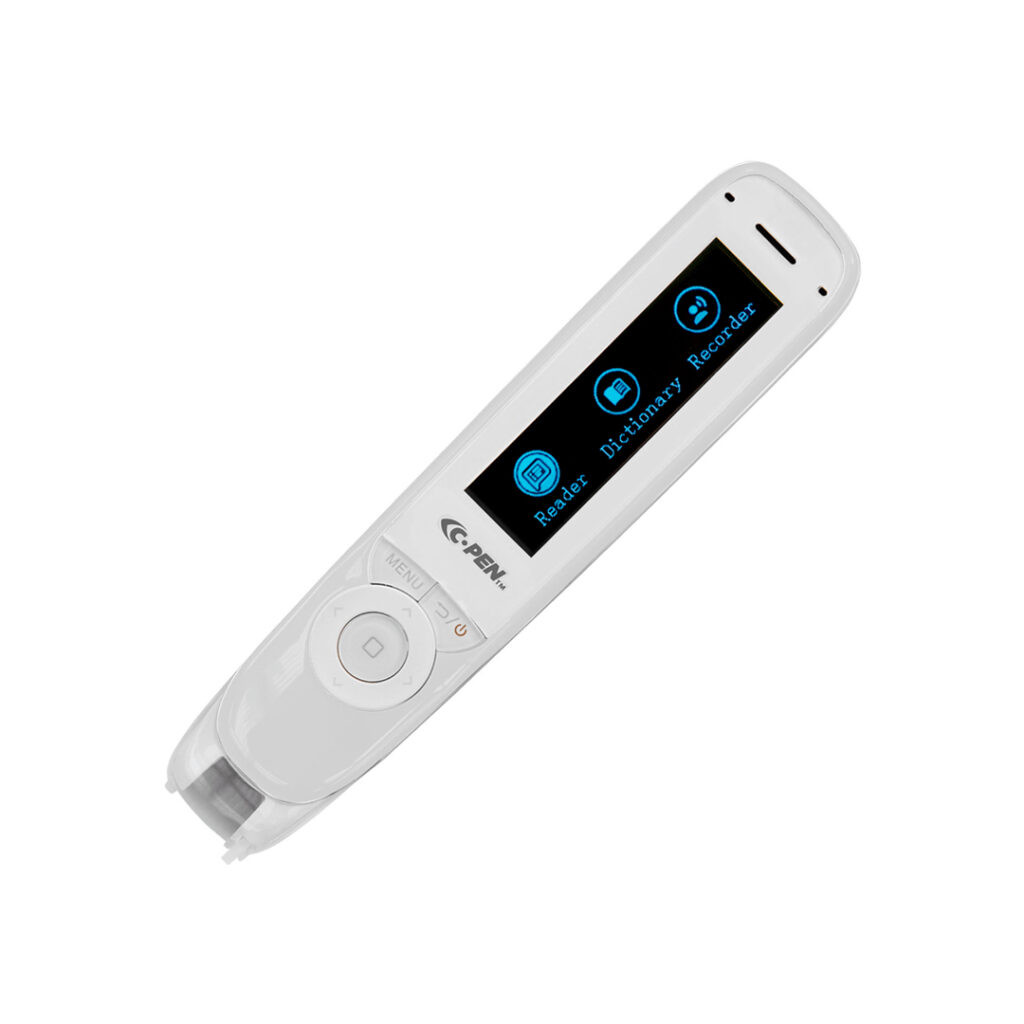
How a C-Pen works
- Scan. Glide the pen tip along a line of printed text.
- Listen. The pen reads the text aloud straight away, through its speaker or your earphones.
- Look it up. Scan a tricky word to hear it again and hear its dictionary definition.
- Save it. Keep scanned text and voice notes on the pen, and move them to a computer later.
- Practise. Built-in word practice lets you revisit words you found hard, for pronunciation and meaning.
Listening while you follow the words on the page or on the pen’s screen is a multi-sensory way to read, which C-Pen designs its pens around.
Who is a reading pen for?
- People with dyslexia and other reading differences who understand well when they hear text, but find decoding print slow or tiring.
- Primary and secondary students reading textbooks and worksheets more independently, at school and for homework.
- TAFE and university students getting through set readings and study notes.
- Adults at work or at home reading documents, letters, forms and books.
- People learning English, who can hear pronunciation and check definitions, and on the Reader 3, translate.
Both pens use a simple, icon-based menu, which C-Pen designed to make them easier to navigate for people with cognitive differences.
Not sure a reading pen is the right tool? Our team works with occupational therapists, speech pathologists and teachers, and can talk you through other literacy supports too. Contact us.
C-Pen Reader 3 vs Reader 2
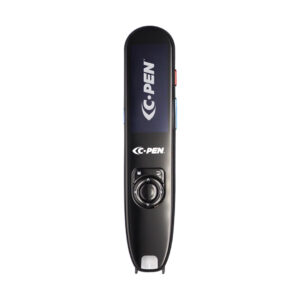
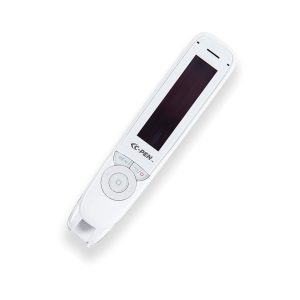
Both pens read printed text aloud, give dictionary definitions, record voice notes and include word practice. The main difference: the Reader 3 has a colour touchscreen and can connect to Wi-Fi for translation in more than 40 languages, while the Reader 2 is completely offline and costs less.
| C-Pen Reader 3 | C-Pen Reader 2 | |
|---|---|---|
| Price (inc. GST) | $597 | $497 |
| Reads printed text aloud | Yes | Yes |
| Screen | Colour 2.3″ touchscreen | Button-controlled display |
| Scan languages (offline) | English, French, Spanish, Italian, German | English, French, Spanish, Italian |
| Translation | 40+ languages when connected to Wi-Fi | Not available |
| Internet needed? | No for reading. Wi-Fi for translation and updates | No, completely self-contained |
| Connectivity | Wi-Fi, Bluetooth 5.1 audio, USB-C | No Wi-Fi |
| Dictionary definitions | Yes | Yes |
| Voice recorder | Yes | Yes |
| Word practice | Yes | Yes |
| Storage | Up to 3GB (about 390,000 A4 pages or 72 hours of recordings) | Up to 5GB (600,000+ pages or 3 days of voice memos) |
| Battery | 8+ hours | A full day of use |
| Audio | Speaker and USB-C earphones (included) | Speaker and earphone jack |
Choose the Reader 3 if you want a touchscreen, translation, or Bluetooth headphones. Choose the Reader 2 if you want a proven, fully offline pen at a lower price, for example where internet-connected devices are not allowed.
Specifications from C-Pen. Prices current at time of publishing.
Shop C-Pen reading pens
Order online for delivery Australia-wide. NDIS participants can pay with NDIS funds at checkout.

NDIS funding
NovitaTech is an NDIS registered provider. Reading pens are low-cost assistive technology and can often be funded from an NDIS plan when they support your goals. Self-managed and plan-managed participants can choose Pay using NDIS Funds at checkout.
Schools and workplaces
Buying reading pens for students or staff? Order online or request a quote for multiple pens, and we can help you choose between the Reader 3 and Reader 2.
Advice from our team
Our Adelaide team supports people with disability, families, schools and therapists with assistive technology. Ask us which pen suits you, or about other reading and computer access tools. Call (08) 8424 6160.
C-Pen FAQs
Which C-Pen should I buy?
For most people who just need text read aloud, the Reader 2 does the job at a lower price. Choose the Reader 3 if you want a colour touchscreen, translation into 40+ languages, or Bluetooth headphones. See the comparison table.
Does a C-Pen need Wi-Fi, a phone or an app?
No. Reading aloud works without any other device. The Reader 2 is completely offline. The Reader 3 reads offline in five languages and uses Wi-Fi only for translation into more languages and for updates.
Does the C-Pen have an Australian voice?
Yes. The Reader 2 speaks in Australian English, as well as American, British, Indian, Irish and Scottish English, French, Spanish and Italian. English (Australia) is also in the Reader 3’s language list.
Can I use a C-Pen in exams?
The Reader 3 and Reader 2 are not exam pens. C-Pen makes a separate Exam Reader 2 that only reads text aloud and cannot store content, which some exam boards approve. Always check with your school or exam authority first, and ask us if you need an exam pen.
Can a C-Pen read handwriting?
C-Pen reading pens are designed for printed text, such as books, worksheets and documents.
Can I move scanned text to my computer?
Yes. Both pens can store scanned text to transfer later. The Reader 2 can also scan directly to a computer, and the Reader 3 connects by USB-C as a storage drive or as a keyboard, so scanned text can go straight into a document.
How long does the battery last?
C-Pen rates the Reader 3 at 8+ hours and the Reader 2 at a full day of use, on one charge.
Can I use NDIS funding for a C-Pen?
Often, yes, if a reading pen supports the goals in your NDIS plan. Self-managed and plan-managed participants can pay with NDIS funds at checkout. If you are unsure, talk to your plan manager or support coordinator, or contact us.
Ask us about C-Pen reading pens
Not sure which pen suits you, or buying for a school or workplace? Send us a message and our team will get back to you.